Using the the forum lull before the Strom release, i’d like to nudge this whimsical experiment into the focus of your attention –
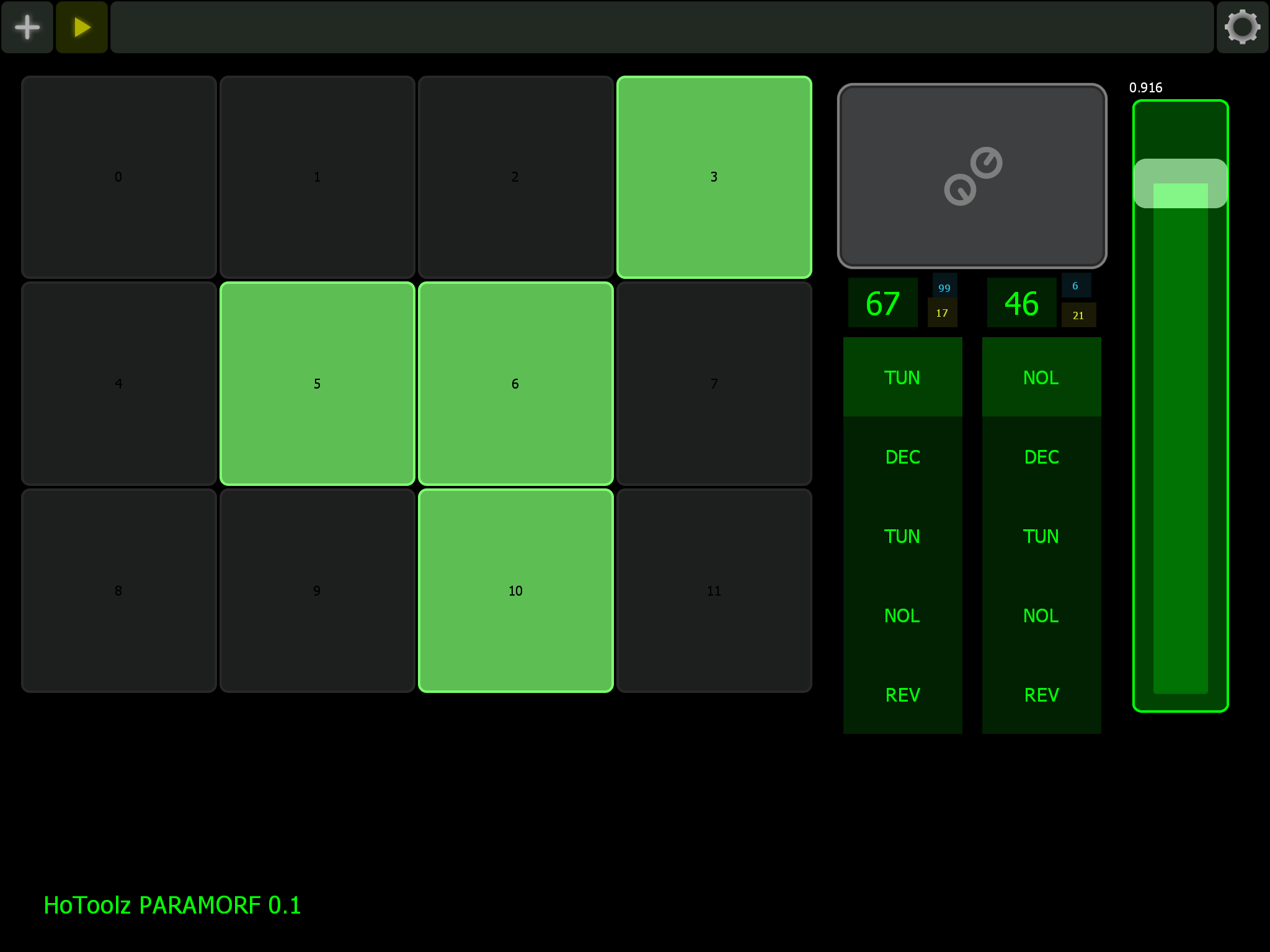
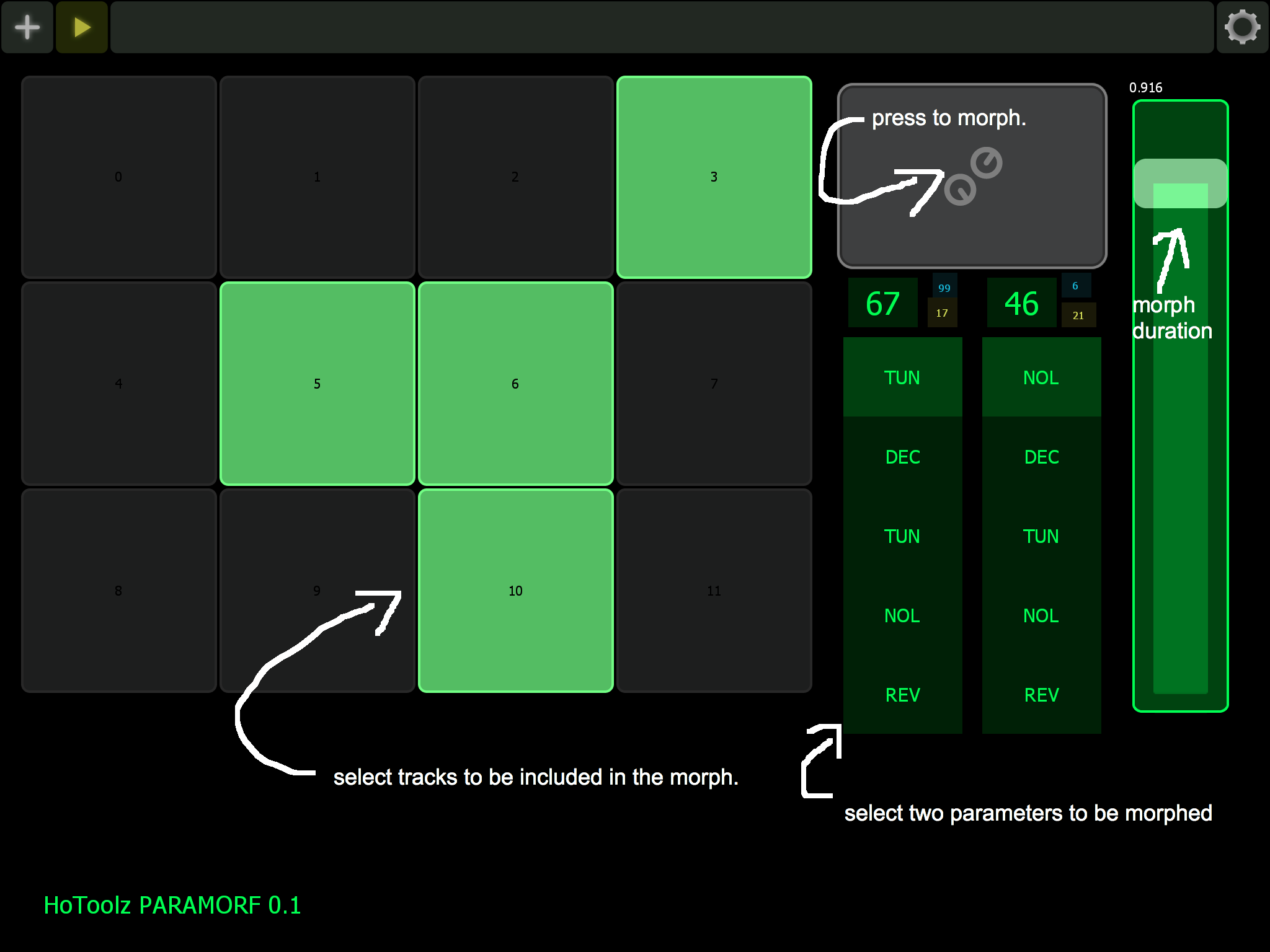
RYTMORF allows you to morph/slide multiple selected parameters to randomly generated values.
With its predecessor originally designed to control a NordDrum2, the current RYTMORF lemur patch draws inspiration from many sources, such as the
maxforlive Skinnerbox, iOS Seekbeats, and guga’s Analog Rytm Randomizer (ARR).
I’d like for you to try it out and let me know what else you would like to see it do.
Currently 4 selectable parameters: Synth TUN, -DEC, -NOL, Amp REV. (This means max. 2 simultaneous parameters changes per channel, and max. 4 simultaneous channels – so this equals 8 simultaneous CCs; this is the maximum verified stable amount of CCs, before the AR “locks up”)
The differences to guga’s ARR are:
-emphasis on sliding morphs, not instant changes or XY-control.
Multiple track/channel morphing.
ATTENTION: morphing more than 4 tracks at a time will make your RYTM unresponsive to any manual input for a short while. Indiscriminate morphing will result in RYTM crashing.
Thanks Baddcr, please let me know how it goes! : )
Btw., setup is pretty simple, using either CCK/USB or 5pin MIDI:
Only a MIDI OUT connection from the patch to the AR is required.
Just make sure the AR is receiving CCs via MIDI and/or USB.
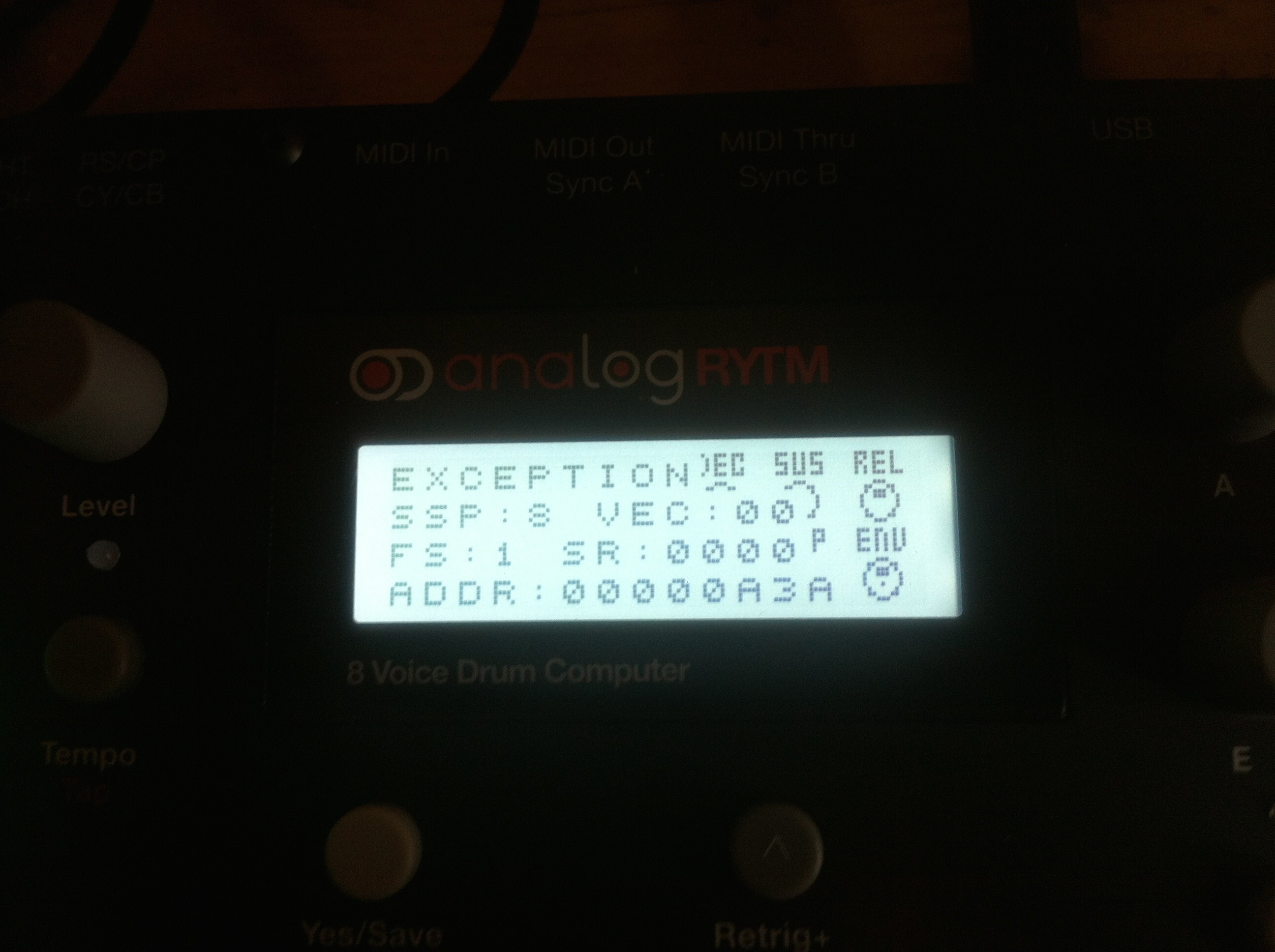
NOTE: be careful, my AR is working perfectly, but using the RYTMORF i did get the AR to throw up this exception at one point, when all 12 channels/tracks were being morphed (i had to reboot and everything was fine again):
It seems to me that the AR is a lot less stable “welcoming” when receiving multiple CCs than the OT.
It appears to easily “choke” on too much information.
i’m sure you may be right, but are you sure the Lemur isn’t sending multiple duplicates of messages as it interpolates 0>1. float to 7bit, there are ways to thin this out, otherwise it’s a surprise as the OT and A4 can handle a lot of stuff getting thrown at them
I have seen it with lemur, maybe using bespoke midi messages or standard, but you can send quite a few identical messages , this effectively clogging up the midi bandwidth, the same is true on A4 I think, I’m sure there are a few menus where there are limite options but the A4 kicks out lots of duplicate nrpn strings whilst the encoder sweeps between a few values, so it can happen and if you have a lot going on it might overwhelm the processor, just a thought
Avantronica, you just gave me an idea.
Lemur objects can be set to send value updates at internal frame rate.
Possibly i have an untamed stream somewhere. (Although i did try to avoid this).
Hopefully get a few minutes with it later on.
you can definitely use lemur scripting to send a value and have it wait (filter duplicates) for it to change before sending again, even if it is calculated (the object in max is [change] if you use it) - it is (from memory) different depending on whether you script your own midi messages or use the built in ones (i think they do it automatically)
[/quote]
I’d need another smartphone to make a tutorial video! maybe i can borrow one somewhere ; )
There will be a short text documentation for the usb connection between the phone and Rytm via CCK as well as setting the two required MIDI preferences: 1. on the Rytm (USB config: USB MIDI mode only, not tested in OB mode) 2. in lemur (enable MIDI output to Rytm), once i get around to it…